
Conference Room Gadgets That Are Worth the Investment
The conference room gadgets most worth your investment are 360° AI cameras, wireless presentation hubs, and commercial-grade displays. These solve friction you hit in almost every meeting, rather than problems you encounter twice a year.
- A 360° AI camera delivers the highest single-device return for hybrid meetings by combining 4K video and multi-microphone audio in one plug-and-play unit
- Start with the must-have tier, camera plus display, at roughly $1,000 to $1,200, before adding wireless presentation and room scheduling
- Apply the 80/20 test to every purchase: does it solve a problem in 80% or more of your meetings?
- Commercial-grade displays last 5 to 7 years under heavy use versus 2 to 3 years for consumer TVs, which is what justifies the upfront premium
- Platform-agnostic, plug-and-play devices outperform proprietary systems on real-world value
- Budget for a six-month payback. If a device cannot clear that bar, it belongs in the nice-to-have column
Most conference room budgets go to the wrong hardware. Teams buy from spec sheets and vendor demos, then find that the premium feature they paid for gets used twice a year, while the friction they hit daily never gets addressed: hunting for the right cable, remote colleagues who can only see half the room, audio that forces people to guess at what was just said.
Cool office technology earns its place when it solves a problem you encounter in 80% of meetings, works in under five minutes without training, and adapts to hybrid and in-person formats automatically. Everything below is measured against that standard, with current pricing, what each device replaces, and the trade-offs worth knowing before you commit budget.
Why Do Most Conference Room Gadgets Fail to Deliver ROI?
Conference room technology has an ROI problem rooted in how buying decisions get made. Teams purchase from spec sheets and vendor demos rather than from their actual daily workflow, and the result is expensive hardware nobody uses.
The culprit is almost always a mismatch between what a device can do and what a team needs it to do every day. A touchscreen collaboration table demos beautifully. It also sits unused for eleven months of the year.
The global smart office market was estimated at $53.9 billion in 2024 and is projected to grow at a 13.9% CAGR through 2030, according to Grand View Research. Category growth on that scale means more products competing for your budget, not that any individual product deserves it.
The gadgets that justify their price share one trait: they reduce friction invisibly. You stop noticing them because they stop being a problem.
Three questions separate the two groups:
- Does it work instantly, without training or IT support?
- Does it solve a problem you actually experience in most meetings?
- Does it adapt to different meeting types automatically?
If the answer to any of those is no, it is a nice-to-have, not a line item. That filter matters more now than it used to, because the volume of options has grown faster than the quality. The wider shift toward hybrid workplace technology trends has put far more hardware in front of buyers than any single room actually needs.
Which 7 Conference Room Gadgets Are Actually Worth Buying?
1. Is a 360° AI Conference Camera Worth $600 to $800?
Yes, and it is the single highest-return investment for hybrid meetings.
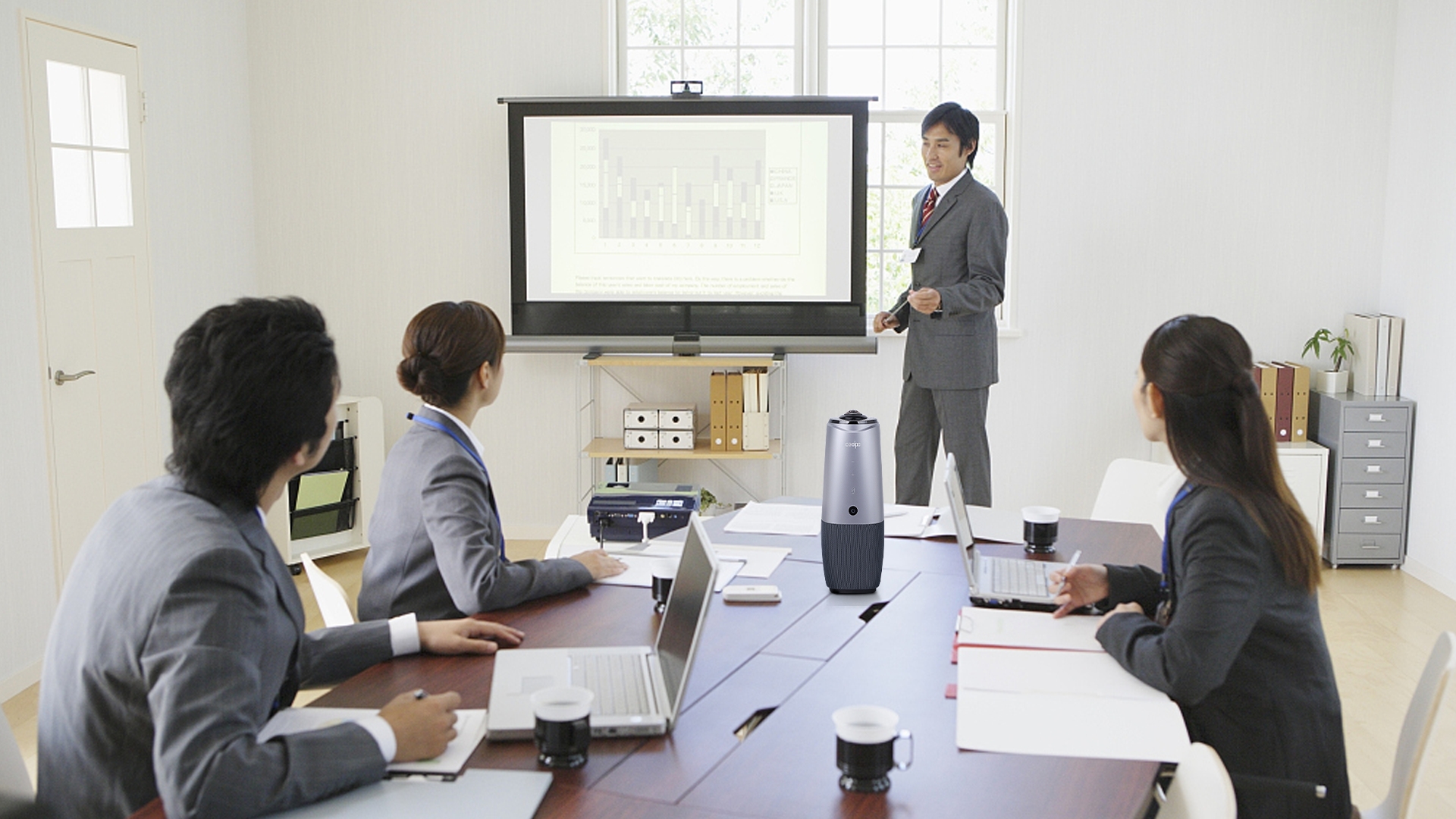
A 360° AI camera eliminates the blind spot problem, where remote participants cannot see everyone in the room. That problem undermines meeting equity and slows decisions every day in hybrid teams, and no amount of resolution on a front-of-room camera fixes it.
What you get:
- 360° coverage that captures every participant equally, regardless of seating
- AI speaker tracking that focuses automatically on whoever is talking
- 4K resolution that holds up in larger rooms
- Plug-and-play USB, with no installation or IT ticket required
Best option: Coolpo AI Pana ($598.98)
- Sits at table center, so there is no wall mounting to plan or pay for
- 8 beamforming microphones with a 15-foot pickup range built in
- Works instantly with Zoom, Teams, Meet, and Webex
- Auto-framing and Active Speaker Tracking included
- 4 positioning frame modes for different room configurations
Because the audio is built in, the PANA also removes the need for a separate speakerphone, which is where a meaningful chunk of the payback comes from.
2. Does a Wireless Presentation Hub Eliminate Meeting Friction?
Yes. Cable hunting is the most common self-reported meeting friction point, and a wireless hub removes it entirely.
Five minutes lost per meeting to finding the right adapter adds up to more than 20 hours a year for a team meeting daily. That is the whole argument.
What you get:
- One-tap screen sharing from any device
- No dongles, adapters, or cable drawer
- Multiple presenters can queue content
- Support for mixed environments: Mac, Windows, iPad, Android
Top options:
- Barco ClickShare ($300 to $400): button-based, works without installing an app
- Mersive Solstice ($400 to $600): app-based, with added collaboration features
- Google Chromecast ($50): budget option for single-platform offices
At typical professional salary costs, a $300 hub returns its price in two to three months on recovered time alone.
3. What Size and Grade of Display Should a Conference Room Have?
For rooms used more than 10 hours a week, a 40 to 65 inch commercial-grade display is the right call.
Remote participants need to appear human-sized, not as thumbnails on a laptop lid. A properly sized display is most of what makes a remote attendee feel present in the room.
What you get:
- 40 inches minimum for small rooms, 55 to 65 inches for medium rooms
- 1080p minimum, 4K for larger spaces
- Commercial-grade reliability rated for 16+ hours of daily use
- Multiple inputs for flexibility
Recommended models:
- Samsung QB Series ($400 to $800): business displays with commercial warranty
- LG Commercial Display ($500 to $1,000): strong reliability and service record
- BenQ Corporate Display ($600 to $1,200): color accuracy and eye-care features
A commercial display lasts 5 to 7 years under heavy use versus 2 to 3 years for a consumer TV. The $200 to $300 premium pays for itself through longevity and one avoided replacement.
Screen size should follow room depth, not budget. If you are unsure which size your room needs, our conference room sizing guide can help you!
4. When Does a USB Speakerphone With AI Audio Make Sense?
When your camera does not already include professional-grade audio.
Audio quality does more for perceived meeting quality than almost any other upgrade. Participants will tolerate a soft image far longer than they will tolerate an echo, a dropout, or a voice they have to strain to follow.
What you get:
- Beamforming microphones that isolate voices from background noise
- AI noise suppression for HVAC, typing, and paper shuffling
- Echo cancellation that prevents feedback loops
- 360° pickup covering the full table
Top picks:
- Coolpo IGNITE Speakerphone : distortion-free voice for rooms that already have a camera
- Jabra Speak2 75 ($350): enterprise-grade, certified for all major platforms
- Poly Sync 60 ($300): personal speakerphone with smart mute
Skip this entirely if your 360° camera includes professional audio. The PANA's 8 beamforming microphones replace a standalone speakerphone, which is worth roughly $300 off the total room build.
5. How Much Does a Smart Room Scheduling Display Improve Utilization?
Organizations commonly report a 15 to 20% improvement in room utilization after installing them.
Scheduling displays kill ghost bookings. Teams stop hunting for a free room and stop walking into spaces that are booked but empty.
What you get:
- Door-mounted display showing real-time availability
- One-tap booking for walk-up meetings
- Auto-release when a booked room sits empty
- Calendar integration with Outlook, Google, and Microsoft Teams
Leading systems:
- Robin Powered ($300 to $400): comprehensive room analytics and reporting
- Joan ($200 to $300): e-ink displays with long battery life
- Envoy Rooms ($250 to $350): includes visitor management
If you are space-constrained, a $250 scheduling display is a far cheaper answer than leasing another room.
6. Do Camera Mounts Meaningfully Affect Video Quality?
Yes. Positioning matters more than camera specification in most rooms.
A $600 camera at the wrong height performs worse than a $150 camera placed correctly. Eye-level framing is the single biggest factor in whether remote participants feel included rather than observed.
What you get:
- Height adjustment for eye-level framing
- Rotation for landscape or portrait orientation
- Stability that prevents vibration during meetings
- Repositioning flexibility as layouts change
Recommended options:
- Elgato Multi-Mount ($60 to $100): modular and highly adjustable
- Manfrotto Compact Tripod ($80 to $120): professional-grade stability
- VIVO Universal Stand ($50 to $80): budget-friendly and stable
Skip this if your camera is a 360° tabletop model. The PANA is designed to sit at table center and needs no mounting hardware at all.
7. Can Smart Lighting Panels Make a Cheap Camera Look Professional?
Largely, yes. Good lighting makes a $200 camera look like a $600 camera on video.
Lighting is the most impactful and most overlooked variable in video call quality, because most meeting rooms are lit from directly overhead, which is the least flattering angle available.
What you get:
- Adjustable color temperature, cool for morning and warm for evening
- Brightness control for different times of day
- Even illumination that eliminates harsh shadows
- Reduced eye strain for in-person participants
Top options:
- Elgato Key Light ($200): professional streaming-quality output
- Lume Cube Panel Pro ($150 to $200): portable and adjustable
- Neewer LED Panel ($100 to $150): budget-friendly and effective
Skip this if your room has strong, consistent natural light through the working day. Lighting is also the cheapest fix for soft video. If the image still looks poor after you improve the light, the problem is usually platform settings rather than hardware, and how to improve video quality on Google Meet or Zoom covers what to change.
How Does the Coolpo AI Pana Compare to Competing 360° Cameras?
The Coolpo AI Pana delivers 4K resolution and 8 beamforming microphones at nearly $200 less than the Meeting Owl 4+ and $1,400 less than the Logitech Rally Bar Mini — making it the strongest value proposition in its category for small-to-medium conference rooms.
What Criteria Determine Whether a Conference Room Gadget Is Worth It?
Run every prospective purchase through these five:
- Daily use threshold. If it solves a problem you hit in 80% or more of meetings, it is worth evaluating. If it is for special occasions, skip it.
- Works in under 5 minutes. No manuals, no training, no support call. Setup friction cancels out the benefit.
- Pays for itself in 6 months. Count time saved and productivity recovered. If the return does not land inside six months of normal use, reconsider.
- Platform-agnostic. Works with Zoom, Teams, Meet, and Webex over standard protocols. Proprietary systems limit you later.
- Future-proof. Either built to last 5+ years, or cloud-connected with updates that extend its life without a hardware swap.
The Coolpo AI Huddle PANA clears all five: used in every hybrid meeting, running in about a minute, cutting setup and troubleshooting to near zero, certified for all major platforms, and built for a 5 to 7 year service life.
Where Should You Start?
Buy in this order: camera and audio first, display second, everything else later. The first two decide whether a meeting works at all. The rest decide how comfortable it is.
For a room seating 6 to 8 people, that means a 360° AI camera with built-in microphones at around $600, a 55 inch commercial display at $500 to $700, and a wireless presentation hub at $300. Deploy that core stack, live with it for a month, and let the complaints you actually hear decide what comes next. Room scheduling and lighting are second-phase purchases, not opening ones.
The one approach to avoid is buying a complete room package from a single vendor in one purchase order. Those are the rooms where half the hardware never gets touched, because the buying decision was made from a catalogue rather than from a month of watching people struggle with the same three things.
Start with the friction you can name. If you cannot name it yet, you are not ready to spend.
Better meetings start with better gear!
See how Coolpo AI Huddle Pana conferencing camera keeps remote and in-room teams perfectly clear.
What is the single best conference room gadget to buy first?
A 360° AI camera delivers the highest immediate impact. It solves the biggest hybrid meeting problem, remote participants not being able to see everyone in the room, and models like the Coolpo AI Huddle Pana include professional 8-microphone audio, which removes the need for a separate speakerphone.
How do I know if a conference room gadget is worth the investment or just trendy?
Apply the 80/20 test: will it solve a problem you encounter in 80% of your meetings? If yes, evaluate it seriously. If it only helps in special situations, needs setup each time, or works with a single platform, it is trendy tech that will gather dust within a quarter. Wireless presentation hubs pass this test consistently. Touchscreen collaboration tables usually do not.
Should I buy consumer-grade or commercial-grade conference room equipment?
For displays and audio devices used 10 or more hours a week, commercial-grade pays off through longevity alone. A $600 commercial display lasts 5 to 7 years under heavy use, against 2 to 3 years for a $400 consumer TV. For cameras and USB accessories, high-quality consumer-grade hardware performs just as well at lower cost. The dividing line is weekly hours of use: above 10, go commercial.
Can I mix brands, or should I buy a complete system from one vendor?
Mix freely. USB cameras, speakerphones, and displays are universally compatible across brands. Single-vendor room systems cost two to three times more and lock you into an ecosystem that becomes a problem the moment one component needs replacing. The PANA works with any commercial display and any major conferencing platform.
What is the right budget for a fully equipped small conference room?
A functional room for 6 to 8 people takes roughly $1,000 to $1,500 in equipment. Start with a 360° AI camera (around $600), a 55 inch commercial display ($500 to $700), and a wireless presentation hub ($300). That core stack handles about 90% of daily meeting friction. Add room scheduling ($250) and lighting ($150) in a second phase if budget allows. Deploy, measure, then expand, rather than buying everything at once.
Recent blogs
.jpg)





Reliable
Innovation
Touch


