
How Do You Choose Secure Video Conferencing for Government?
- Secure video conferencing for government comes down to three checks on the hardware: who made the device and where, where it processes audio and video, and what interfaces it exposes
- No federal framework covers the camera. FedRAMP authorizes cloud services within a boundary the device sits outside, and CDM covers network tooling rather than peripherals
- Check 1 is supply chain. These tests apply to a conference camera exactly as they apply to a security camera. Section 889 asks who manufactured it, the Trade Agreements Act asks where it was made
- Check 2 is data flow. On-device processing keeps content in the room. Cloud processing creates a flow that must be documented, including geography, retention, and model training
- Check 3 is interfaces, and it is usually the hardest to answer. Every radio is a separate attack surface, a Bluetooth security risk is a documented attack class rather than a hypothetical, and some secure facilities exclude wireless capability outright
- A wired-only USB device with on-device processing answers all three in a sentence each, which is what shortens a security review
Secure video conferencing for government comes down to three checks, and all three are about the hardware rather than the platform: who made the device and where it was manufactured, where it processes the audio and video it captures, and what interfaces it exposes to the room.
Those three exist because no federal security framework actually covers a conference camera. FedRAMP authorizes cloud services within a defined boundary, and a USB device plugged into an endpoint sits outside it. CDM covers network monitoring tooling rather than peripherals. And the camera is often bought by facilities rather than by the security team, so the device that sees and hears everything in the room ends up assessed by nobody. Each check is covered below, including what Section 889 compliant cameras have to satisfy and why the interface question is usually the hardest of the three to answer.
Why Secure Video Conferencing for Government Is a Hardware Problem
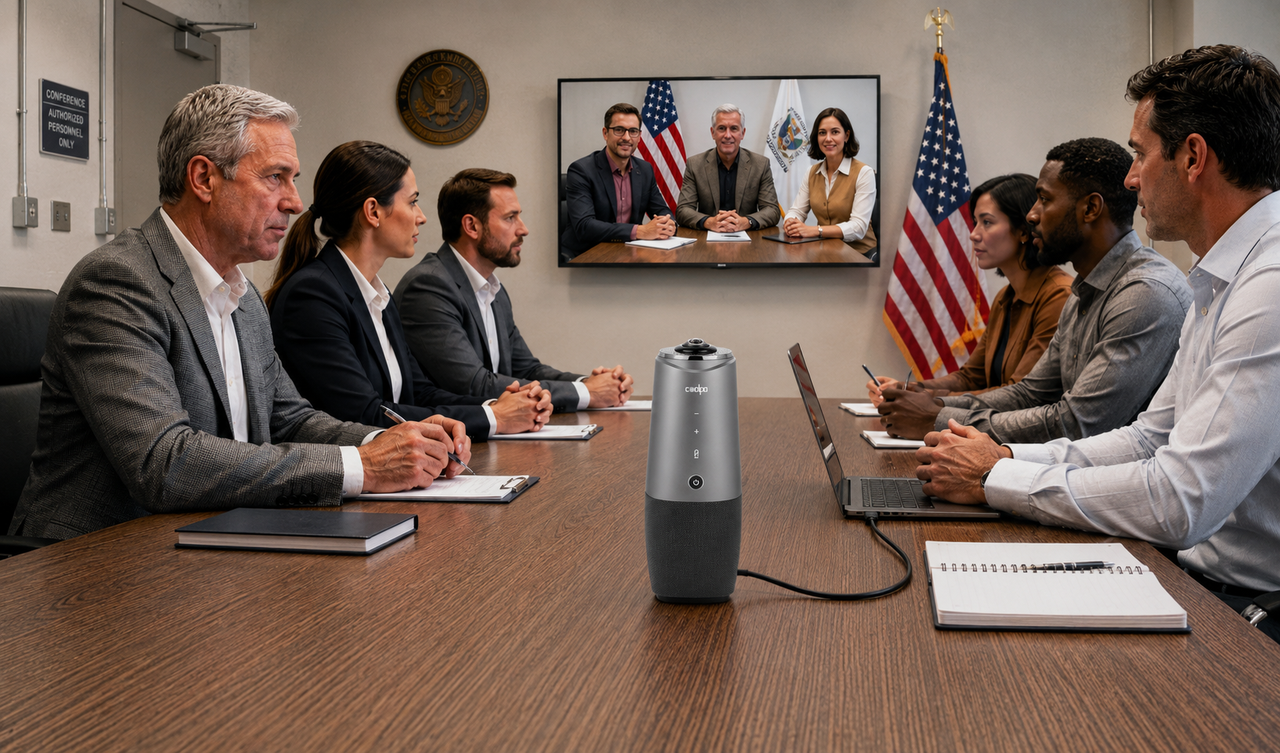
Federal security frameworks are organized around software, services, and networks. Each has a clear owner and a public catalog.
Both work well for what they cover. Neither covers a peripheral.
The authorization boundary is the reason. A FedRAMP authorization applies to a defined system boundary. The platform carrying a meeting can be fully authorized at moderate impact while the device capturing that meeting has never been assessed by anyone, because the camera sits outside the boundary the authorization describes.
That gap is structural rather than accidental, which is why video conferencing for government needs a hardware conversation entirely separate from the platform decision.
Planning the room itself rather than its security posture? Our guide to government and official meeting rooms covers table layout, seating protocol, and presentation systems.
Check 1: Who Made the Device, and Where?
Both supply chain tests apply to a conference camera exactly as they apply to a security camera, since it is a video capture device sitting on a networked system. Nothing about being used for meetings rather than surveillance places it outside their scope. They are separate tests, and passing one says nothing about the other.
TestThe question it asksWhat it coversSection 889Who manufactured this?Named manufacturers, their subsidiaries and affiliatesTrade Agreements ActWhere was it made?Country of origin, or substantial transformation
What Section 889 compliant means for a camera
Section 889 is part of the FY2019 National Defense Authorization Act. It bans federal agencies from buying or using telecommunications and video surveillance equipment from five companies:
- Huawei
- ZTE
- Hytera
- Hangzhou Hikvision
- Dahua
Subsidiaries and affiliates count too. That matters more than it sounds, because a device can carry a brand name that appears nowhere on that list. The FCC keeps a covered list that works as the practical reference.
The rules that enforce it:
Three things buyers get wrong:
1. A conference camera is squarely in scope. The law names video surveillance equipment directly. A camera is not caught by accident under a telecoms rule. That is why Section 889 compliant cameras are treated as their own procurement category rather than as an interpretation.
2. The list can grow. The Secretary of Defense, working with the Director of National Intelligence or the FBI Director, can add any company believed to be owned by or linked to the Chinese government. So "not one of the five" is true today, not forever. Check current guidance at the time of purchase.
3. Your vendor can fail even if the camera passes. There are two separate bans:
The second is the one people miss. A camera vendor can be disqualified for what it uses inside its own business, not only for what it sells you.
The Trade Agreements Act is a separate test
GSA's vendor guidance states that the Trade Agreement Act applies to all GSA Schedule contracts unless a solicitation says otherwise, and that products must be wholly the growth, product, or manufacture of the United States or a designated country, or substantially transformed in the United States.
Final assembly in a qualifying country does not automatically satisfy that standard. Request a country of origin statement in writing before a purchase order is issued.
Check 2: Where Does the Device Process Audio and Video?
On-device processing keeps meeting content inside the room. Cloud processing creates a data flow that has to be identified, documented, and assessed.
The two answers, and what each one costs you
Why the FedRAMP impact level matters here?
If a camera sends audio or video to a vendor cloud, that cloud has become part of the meeting's data path. FedRAMP authorizes cloud services at three impact levels, tied to how much damage a loss of confidentiality, integrity, or availability would cause: low for limited effect, moderate for serious effect, and high for severe or catastrophic effect.
The level matters more than the brand. A service authorized at moderate cannot carry a workload requiring high, regardless of who operates it. A camera that quietly routes processing through an unauthorized service puts content outside every boundary the agency has established.
What a cloud flow obliges you to document?
- Which geography the processing happens in?
- How long content is retained, and by whom?
- Whether meeting content is used to train a vendor's models?
- What contractual terms govern access by vendor staff?
This applies continuously, not only to recordings. A camera running AI speaker tracking or auto-framing analyzes every minute of every call in order to function at all. If that analysis happens in a vendor cloud, the data flow exists for the full duration of every meeting, whether or not anyone presses record. That is the distinction assessors care about, because a recording is an artifact you can control and a live processing stream is not.
The practical version of the question: can the vendor state in writing that audio and video never leave the device?
Check 3: What Interfaces Does the Device Expose?
This is where most of the assessment work sits, and where a device that passed the first two checks still gets sent back.
Every radio counts as a separate interface. A camera with Wi-Fi and Bluetooth is not one device to assess. It is one device plus two attack surfaces, each with its own settings, management path and paperwork.
What every radio adds to a security review ?
Wireless also widens the perimeter. A network can be probed from outside the building, because nothing needs to be plugged in. CISA makes the same point in its wireless guidance: no cable means no boundary.
What can go wrong over Bluetooth and Wi-Fi?
A Bluetooth security risk is not hypothetical. These four categories are established enough that a reviewer expects them addressed by name.
The question is never whether your Wi-Fi video conference camera has been attacked. It is whether the attack surface exists, and what control makes up for it. A device with no radio makes that answer short.
Why turning the radio off does not solve it?
The obvious fix for a Wi-Fi conference camera is to disable the radio. In a government context that rarely satisfies an assessor.
1. Settings can be reversed. A firmware update, a factory reset, or another administrator can turn it back on.
2. Disabled is not absent. The paperwork still has to record that the radio is there, and the control keeping it off becomes one more thing to monitor and re-verify. The burden shrinks. It does not disappear.
3. Some facilities ban the capability outright. Secure facilities usually regulate wireless emitters as a category, not device by device. It is why Android phones and iPhones alike go in a locker instead of being assessed individually, and why emitting medical devices such as pacemakers and hearing aids are handled through documented accommodation rather than a decision at the door. Equipment gets the same treatment: under a capability-based rule, a camera with its Wi-Fi switched off still fails, because the rule is about what the hardware can do, not how it is set today.
That last one ends a lot of evaluations, and it ends them late, after a device has been shortlisted and budgeted.
The practical consequence
Fewer interfaces mean fewer questions. Fewer questions mean a shorter review. A standard USB peripheral sidesteps this whole section. It has no radio, so there is nothing to configure, discover or update over the air. And it runs on drivers already built into the operating system, so nothing gets installed on a government endpoint.
Looking for a camera that answers checks all 3? The Coolpo AI Huddle PANA connects over a single wired USB cable, and has no Bluetooth or Wi-Fi radio to declare.
What Should You Ask a Vendor Before Buying?
The three checks turn into five questions. Ask for all five in writing, not in a sales call, because a written answer is what an assessor can actually use.
How fast a vendor produces all five tells you something on its own. A supplier that has been through federal procurement before will have these on file and send them the same day. A supplier that has to go and ask engineering has not done this before, which is worth knowing before you build a shortlist around them.
Building a government-ready meeting room?
See how the Coolpo AI Huddle PANA fits your secure space.
1. Does FedRAMP authorization cover conference room hardware?
No. FedRAMP authorizes cloud services within a defined boundary, and a device plugged into an endpoint sits outside it. An authorized platform tells you nothing about the camera capturing the meeting.
2. What makes a camera Section 889 compliant?
It must not come from Huawei, ZTE, Hytera, Hangzhou Hikvision, or Dahua, or any subsidiary or affiliate. The second prohibition also reaches entities connected to the PRC government. NDAA Section 889 compliant cameras are assessed directly, because the statute names video surveillance equipment explicitly.
3. Do state and local agencies have to follow Section 889 and the TAA?
It depends on funding. The restrictions attach to federal dollars, so state-funded purchases may fall outside them while grant-funded ones typically do not. Many agencies apply the federal standard regardless.
4. Is a Wi-Fi video conference camera less secure than a USB one?
In a government assessment, the relevant difference is not how secure it is but how much it has to be documented. A Bluetooth security risk such as bluesnarfing or eavesdropping is a recognised attack class, so an assessor will expect radios, pairing behaviour, management interfaces and firmware paths to be addressed. A wired device has none of those, so that section of the review is short.
5. Is video conferencing for government different from commercial video conferencing?
The platforms are similar. Procurement is not. Government buyers add supply chain provenance, data flow documentation, and interface disclosure to the usual quality and price questions.
Recent blogs



%20(1).jpg)
Return to Office 2.0: Remote Work Is Evolving, But So Are the Distractions


Reliable
Innovation
Touch


