
Why Recruiter Audio Quality Matters in Remote Interviews
Poor recruiter audio quality directly damages candidate experience, undermines hiring decisions, and signals a lack of professionalism before a single interview question lands. Remote hiring is no longer a backup plan, it is how most companies fill roles today. 82% of interviews are now conducted virtually and 93% of employers plan to keep it that way . Yet 58% of professionals still cite technical issues as their biggest challenge on virtual calls. Yet one thing that rarely gets attention on the recruiter's side is audio.
In this blog, we break down why audio clarity is a recruiter's responsibility, what it costs when it falls short, and what a better remote hiring setup actually looks like.
Key Takeaways
- 82% of organizations now conduct interviews fully remotely, making audio quality a baseline recruiter responsibility — not an optional upgrade
- Poor recruiter audio damages candidate experience, disrupts communication, and signals unprofessionalism before the interview even begins
- Most remote interview advice targets candidates — but recruiters are the hosts, and the setup on their end sets the tone for every call
- 80% of candidates feel positively about video interviews, meaning their expectations are already high from the first touchpoint
- 58% of professionals cite technical and software issues as the biggest challenge of virtual conferences, with audio problems leading that list
- A solid remote audio setup requires a dedicated noise-cancelling headset, a quiet environment, a stable connection, and a pre-call sound check
- The Coolpo IGNITE Headset is a practical, purpose-built starting point for recruiters who need clear, consistent audio on every call
How Has Remote Hiring Changed the Rules for Recruiters?
Remote work shifted from a temporary fix to a permanent fixture across most industries. For recruiters, that shift meant rethinking nearly every part of the hiring process. In-person interviews moved to video calls, office walk-throughs became virtual tours, and handshakes turned into camera waves.
The fundamentals of recruiting did not change — but the environment recruiters operate in did, completely.
82% of organizations now say their interviewing and hiring process is fully remote, and 93% of employers plan to continue conducting video interviews long-term. Remote recruitment is no longer a niche skill — it is the baseline expectation for anyone in a hiring role.
What changed most is the medium. Recruiters now rely almost entirely on what candidates can see and hear through a screen. Body language is harder to read. Energy is harder to project. Every technical hiccup — a frozen screen, a dropped call, an echo-filled room — lands squarely in the middle of what should be a professional conversation.
The margin for error is thinner, and candidates notice. This is exactly why recruiter communication has had to evolve. It is not just about what you say anymore. It is about how clearly it comes through.
What Do Candidates Actually Expect From a Virtual Interview Today?
The virtual interview is often the first real touchpoint a candidate has with your company. There is no office environment, no receptionist greeting, no in-person energy to fill the gaps. Everything the candidate experiences comes through a screen — which means every detail of how a recruiter shows up virtually carries more weight than it ever did in person.
According to Criteria Corp's 2024 Candidate Experience Report, 80% of candidates feel positively about video interviews. They have tested their cameras, tidied their backgrounds, and prepared their answers. When video interview audio breaks down on the recruiter's side, it undermines all of that effort and reflects on the company — not the candidate.
Candidates are comparing virtual hiring experiences across multiple companies at once. A clunky, poorly run remote interview does not just feel unprofessional — it can cost you the candidate entirely.
Why Does Virtual Fatigue Affect Recruiter Productivity?
Back-to-back video calls are mentally demanding in a way that in-person interviews are not. Recruiters absorbing hours of video interviews daily are more prone to distraction, miscommunication, and missed signals.
When your setup is not optimised — poor audio, bad lighting, constant interruptions — that fatigue compounds fast. It quietly chips away at recruiter productivity in ways that are hard to attribute to a single cause but consistently show up in hiring outcomes.
Without in-person cues, recruiters also have to work harder to read intent, build rapport, and gauge genuine interest — all through a screen, often within a shorter window of time. Tone, clarity, pacing, and presence all become critical tools, and none of them work well if the audio is fighting against you.
What Does Poor Recruiter Audio Quality Actually Cost You?
Most recruiters focus on what they say during an interview — the questions they ask, the company story they tell, the tone they strike. But when audio quality is poor, none of that lands the way it should.
Muffled speech, background noise, and choppy sound do not just create minor inconveniences. They create friction at every stage of the conversation, and that friction has real consequences for your hiring process.
Here is what poor recruiter audio quality actually costs you:
- Missed information — When audio cuts in and out, critical details get lost on both sides. Candidates mishear questions, recruiters miss answers, and the entire screening becomes unreliable
- Damaged candidate experience — A candidate who struggles to hear the recruiter will associate that frustration with the company itself, not just the call
- Weakened first impression — Poor interview audio quality signals a lack of preparation, even if everything else about the recruiter is polished and professional
- Repeated follow-ups — Unclear calls lead to miscommunication, which means more emails, more clarification calls, and more time lost — all of which quietly drains recruiter productivity
- Lost talent — Top candidates have options. A frustrating interview experience is often enough to make a strong candidate disengage entirely
- Inconsistent hiring decisions — When audio is unreliable, recruiters are working with incomplete information, which can lead to assessments based on gaps rather than actual candidate performance
Poor recruiter audio quality rarely shows up as a single dramatic failure. It accumulates — one difficult call at a time, one candidate who did not follow up, one screening that had to be repeated. By the time the impact is visible in your hiring outcomes, the damage has already been done.
The good news is that it is one of the most fixable problems in a remote hiring setup.
Why Do Recruiters — Not Just Candidates — Own the Audio Problem?
Most remote interview advice is written for candidates. How to look professional on camera. How to find a quiet space. How to test your microphone before the call. That advice has its place — but it consistently overlooks the person running the interview.
Recruiters are the hosts of every screening call and video interview on their schedule. The setup, the environment, and the audio quality on their end are their responsibility.
Poor recruiter audio quality does not just create an awkward moment — it disrupts the flow of the entire conversation, makes it harder to assess candidates accurately, and quietly signals a lack of preparation.
Research published in the Journal of the Acoustical Society of America found that higher-quality audio directly improves how speakers are perceived, including ratings for credibility, intelligence, and professionalism. For recruiters, that finding is hard to ignore. Your audio quality is not just a technical setting — it shapes how candidates perceive you and the company you represent.
What Does a Good Audio Setup for Remote Work Actually Look Like?
Getting your audio setup right does not require a professional recording studio. It requires a few deliberate decisions that most recruiters have simply never been prompted to make.
According to TechJury, 58% of professionals say technical and software issues are the biggest challenge of virtual conferences — and audio problems sit at the top of that list. For recruiters running multiple screening calls a day, these issues directly affect the quality and reliability of every interview.
Here is what a solid audio setup for remote work actually involves:
1. Use a dedicated microphone or headset
The built-in mic on a laptop picks up keyboard clicks, room echo, and ambient noise. A noise-cancelling headset isolates your voice and cuts background interference, giving candidates a much cleaner audio experience
2. Choose a quiet, controlled environment
Close doors, turn off fans or air conditioning where possible, and avoid rooms with hard surfaces that create echo. A carpeted room with soft furnishings absorbs sound and keeps your audio clean
3. Test your audio before every interview
Run a quick sound check before the call starts. Most video platforms have a built-in audio test feature. Use it every time — not just when you first set things u
4. Check your internet connection
A strong, stable connection reduces audio lag and prevents the choppy, broken-up speech that makes conversations frustrating. Use a wired connection over Wi-Fi where possible
5. Position your microphone correctly
Whether using a headset or an external mic, placement matters. Too far away and your voice sounds distant. Too close and breathing sounds become distracting
6. Reduce notification sounds and alerts
Incoming emails, Slack pings, and calendar reminders that chime mid-interview are disruptive. Silence all non-essential notifications before any virtual interview begins
How Does the Coolpo IGNITE Headset Improve Remote Interview Audio?
For recruiters who are serious about their virtual interview setup, the tools they use matter as much as the habits they build. Individual recruiters conducting back-to-back screening calls need audio gear that is reliable, consistent, and easy to use every single day without having to think about it.
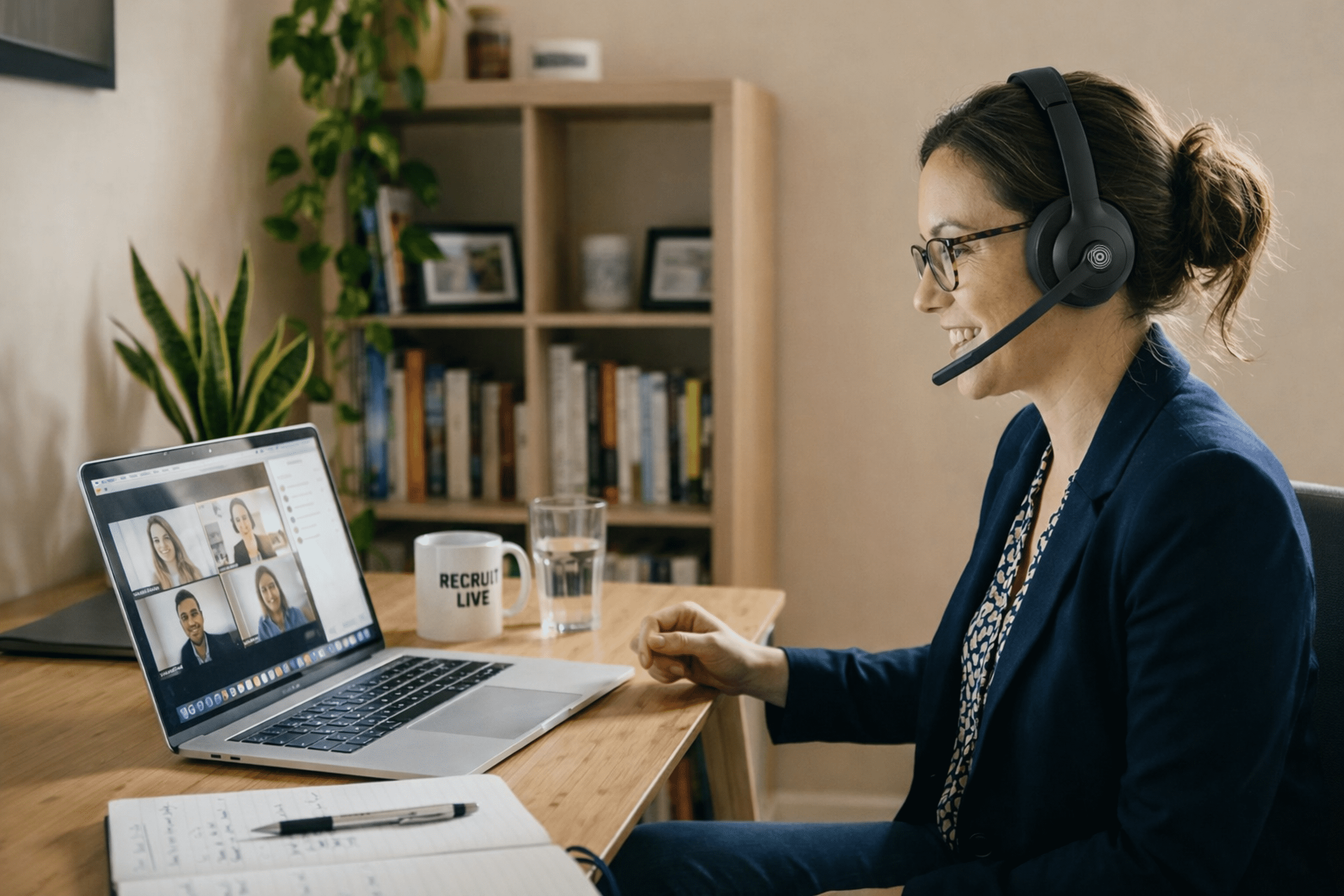
The Coolpo IGNITE Headset is designed with exactly that use case in mind. It features AI mic noise cancelling feature that filters out background that interferes during calls. Whether you are working from a home office, a busy HR floor, or a shared workspace, Coolpo Ignite Headset cuts the interference that standard laptop microphones simply cannot handle.
How Does Coolpo IGNITE Compare to Other Headsets for Recruiters?
The Coolpo IGNITE offers comparable mic noise-cancelling performance and significantly longer battery life than the Logitech Zone Wireless at a competitive price point, making it a strong option for recruiters who spend extended hours on back-to-back calls. The Jabra Evolve2 55 is a premium enterprise product with a higher price tag which would be a challenge for small to medium businesses or even for large companies who are on tight budgets.
A good remote hiring setup does not need to be complicated or expensive. Sometimes it starts with one solid piece of equipment that quietly does its job every time you get on a call.
Frequently Asked Questions
1. Does bad audio on the recruiter's end actually affect how candidates perceive the company?
Yes — candidates consistently associate a poorly run call with the company's overall level of organisation and professionalism. A frustrating audio experience can be enough to create doubt about an offer, even when the interview content itself goes well.
2. Is a noise-cancelling headset really necessary if I already have a decent laptop microphone?
Built-in laptop microphones pick up keyboard clicks, room echo, and ambient noise that you cannot hear on your own end — but candidates can. A dedicated noise-cancelling headset like the Coolpo IGNITE isolates your voice at the source and delivers a noticeably cleaner signal, making it a basic quality-of-process investment for anyone running interviews regularly.
3. How can I tell if my audio quality is poor during remote interviews?
Ask a trusted colleague to join a test call in your actual interview environment and give you honest feedback on what they hear. Most video platforms also include an audio preview tool in their settings — use it with your real headset before your next interview round.
4. Can poor interview audio cause a recruiter to make a bad hire?
When audio is unreliable, recruiters risk missing key answers or misreading pauses caused by technical lag as genuine uncertainty — forming impressions based on a distorted version of the candidate's communication style. Hiring decisions made on incomplete or corrupted information are by definition less accurate.
5. What is the fastest single improvement a recruiter can make to their remote interview audio?
Switching from a built-in laptop microphone to a dedicated noise-cancelling headset is the single fastest, highest-impact change most recruiters can make — requiring no room adjustments, no IT involvement, and no software configuration. The Coolpo IGNITE connects via USB dongle or Bluetooth and immediately delivers a cleaner, more isolated signal.
6. Does audio quality affect recruiter productivity as well as candidate experience?
Poor audio affects both sides simultaneously — recruiters straining to hear candidates through choppy connections experience higher cognitive load, compounding the mental fatigue of back-to-back video interviews. A cleaner audio environment measurably reduces that strain on both ends of the call.
7. What video conferencing platforms does the Coolpo IGNITE Headset work with?
The Coolpo IGNITE is compatible with Zoom, Microsoft Teams, and Google Meet, connecting via USB dongle or Bluetooth 5.0 with plug-and-play support for both Windows and macOS. No additional drivers or software configuration are required for standard use.
Final Thoughts
Recruiter audio quality is not a minor technical detail. It is a direct reflection of how seriously a hiring team takes its own process. In a remote hiring environment where candidates are evaluating companies just as much as companies are evaluating them, every call is an opportunity to make a strong impression or quietly lose one.
Clear audio keeps conversations productive, protects candidate experience, and ensures that hiring decisions are based on what candidates actually said — not what could be made out through a choppy connection.
Getting the setup right does not have to be complicated. A quiet space, a stable connection, and the right equipment go a long way.
Explore the Coolpo IGNITE Headset and experience the difference clear audio makes to your remote hiring setup.
Recent blogs

.png)


Reliable
Innovation
Touch


